Titan Battlefronts Updates
Follow testing branch changes without confusing this battlegrounds title with other Skibidi games.
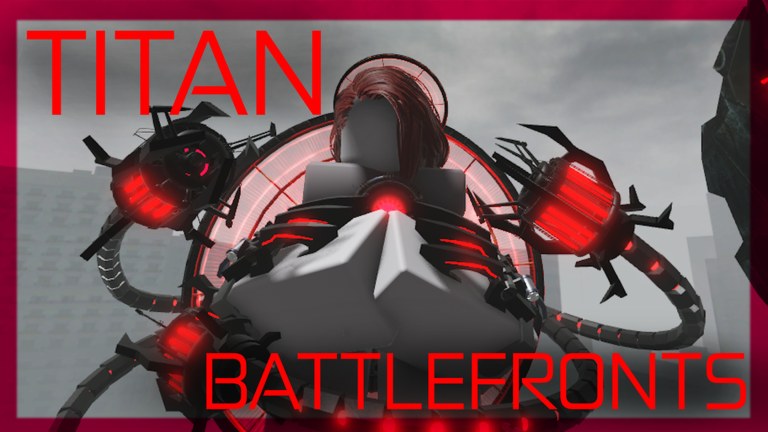
How Titan Battlefronts communicates patches
Titan Battlefronts rarely ships long Steam-style patch notes. Instead, the Roblox title tag and thumbnail shift — from Rebalances to Specialist to PVE & Crafts — and creators post showcases within hours. This Updates Hub translates those signals into readable notes so you know whether to grind quests, practice PVE, or respect a newly buffed morph.
Created on 29 July 2025 and still marked testing, the experience iterates quickly. Expect unfinished systems, exclusive morph sightings, and sudden ability tweaks. Pair every patch read with fresh warmups from controls.
Current focus areas
| Update theme | Wiki deep dive | Player impact |
|---|---|---|
| Live branch snapshot | Live Status | Title tag, visits, testing checklist |
| PVE & Crafts | PVE & Crafts patch + PVE guide | Co-op objectives and crafting loops |
| G-Man 5.0 showcase | G-Man 5.0 notes | High-profile morph spectacle and matchup awareness |
| Ongoing rebalances | Rebalances notes | Win-rate swings across the roster |
How to read a Roblox title tag
When the experience renames itself in brackets, treat that as the patch headline. “PVE & Crafts” means prioritize the PVE guide before spending Robux. “Rebalances” means re-check the tier list because yesterday’s S-tier may have been toned down. Showcase tags usually accompany creator videos rather than silent stat edits.
What to do after every update
- Skim this hub and open the matching child page.
- Spend five minutes in a low-pressure server testing ability hold timing.
- Revisit how to unlock if quests changed.
- Delay Game Pass purchases for a day if balance feels volatile — see game passes.
- Watch codes in case a milestone drop launched with the patch.
Creator showcases versus patch truth
Showcases are excellent for animations and audio but weak for quiet nerfs. Use them as visual evidence, then confirm in your own matches. Our embedded videos sit mid-article on child pages so you can pause and practice.
Testing disclaimer you should expect
Developers warn that bugs and exclusive characters may appear. If you meet an admin-only morph, do not assume it is obtainable — see discussions around exclusive showcases and keep goals tied to public quest lines like Clock Chief and Astro Duchess.
Cross-links for patch days
- New to the game after a hype video? Start at getting started.
- Confused by mobile UI changes? Read mobile guide.
- Choosing a morph after a buff? Use character compare.
- Hunting freebies? Visit Codes Hub.
Keeping your own patch journal
Write one sentence after each session: what felt stronger, what felt broken, which server modes you played. Over a week you will notice patterns the title tag never explains. Share constructive feedback through official channels listed on the links hub.
This hub will grow as the testing branch matures. Check back whenever the Roblox thumbnail looks unfamiliar — that is usually your cue that the battlefield rules shifted again.
Closing notes for Updates Hub
Revisit after the next Roblox title-tag change, test one idea from Updates Hub in Titan Battlefronts, then open one neighboring hub only. Path focus: updates.mdx.
Frequently Asked Questions
Quick answers for Titan Battlefronts players.
How often does Titan Battlefronts update?
Frequently while in testing. Title tags and creator showcases are the fastest signals between formal notes.
Where are PVE changes explained?
See the PVE & Crafts update page and the dedicated PVE gameplay guide linked above.
Do updates reset my morphs?
Major testing branches can change progression. Keep an eye on official posts and rebalances notes after big title swaps.
Why embed YouTube videos in update pages?
Showcases capture timing and visuals that text alone misses. We only embed real Titan Battlefronts videos.